
Elsy for someone you love
A daily companion for your parent: their day on track, someone to talk to any hour, and you in the loop on their terms. Set up from your phone in a few minutes.
Available on iOS and Android. Setup takes a few minutes.

What their days look like with Elsy
Their day, on track
Ask what's on today and Elsy has it: the appointment, the coffee with Jane, the tablets at nine. Say it once and she keeps track.
Reminders without the alarm
Medications and appointments come up in conversation, and as a notification when it's time. A photo of the medicine box is enough to set one up.
Someone to ask, any hour
The news, a recipe, how to word a message, the name that won't come. Elsy answers in a warm voice, in their language.
A memory that stays true
Names, stories, routines, the things you and your parent have told her. She holds on to them, and never tires of a question asked twice.
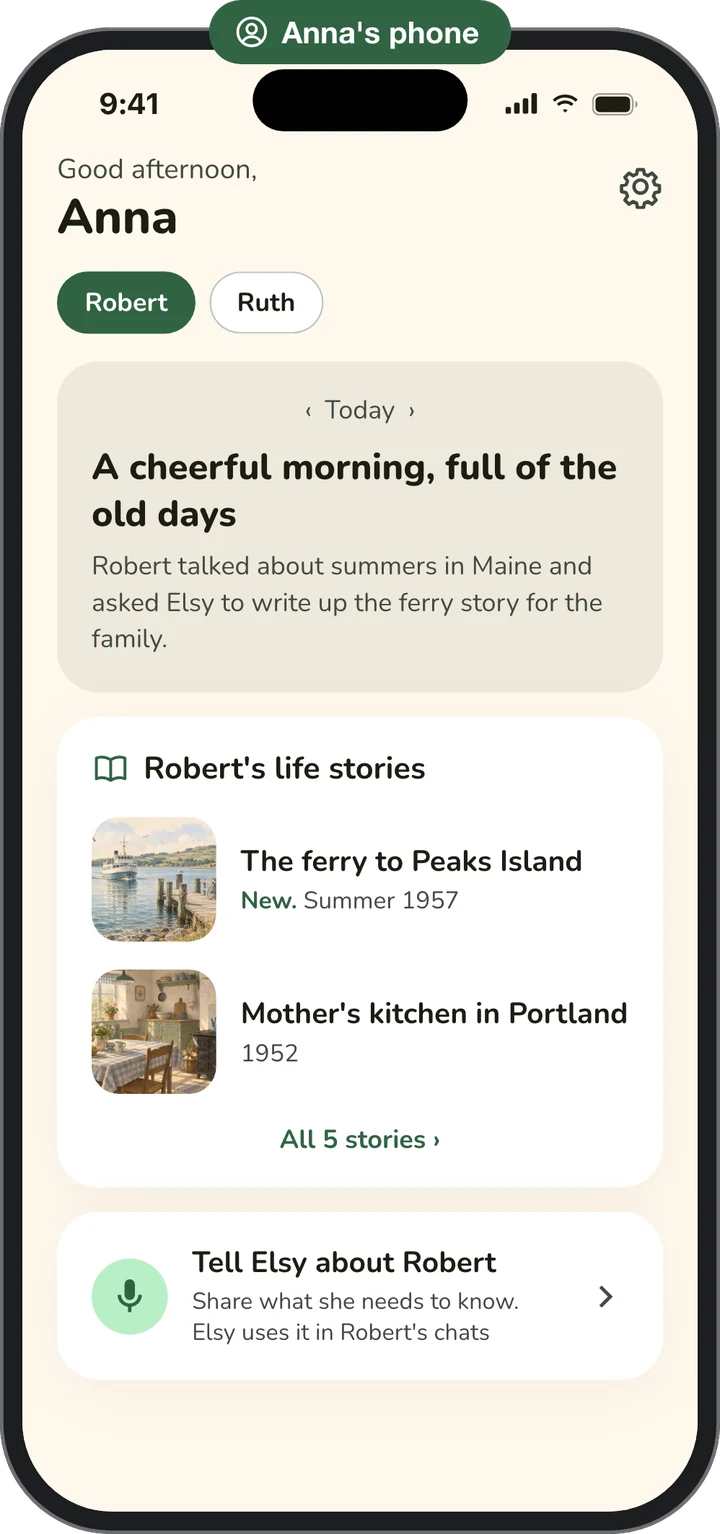
The stories you want to hear, in their own words.
The ferry rides, the first job, the house they grew up in. When your parent tells Elsy about their past, she writes it up as a short story, with their own words as quotes and a picture to go with it. When they share a story with you, you can read it on your phone and hear parts of it in their own voice.
A good reason to call: ask about the latest story they shared with you.
Everyone in the family circle can read and listen to the stories your parent shares.
They open the app, tap one button, and talk. That's the whole of it.

What you get, on your own phone
How much of this you see is agreed with your parent. They set the level of access for each person, and can change it anytime.
How their day went. Medications taken, check-ins, and how things are going day to day.
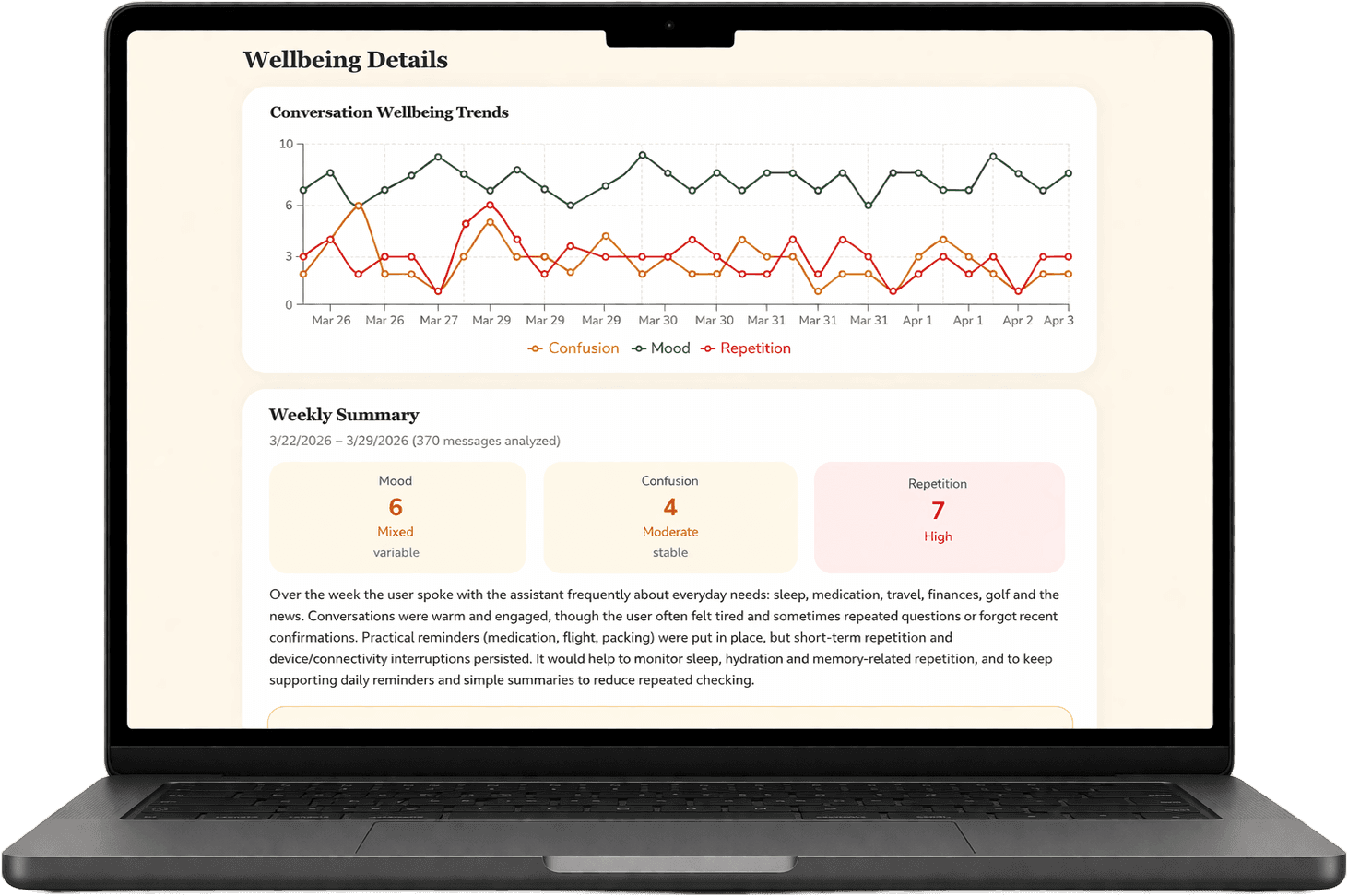
Wellbeing over time. Mood and engagement trends from their conversations, week after week. If a conversation suggests a concern, you get a heads-up.
A hand with the practical things. Add and manage their reminders and medications from your side. They always see which ones you set.
Facts Elsy can rely on. Share family names, routines and stories. Elsy keeps them and relies on them, even on days when memory plays tricks.
You see wellbeing updates and the life stories your parent shares, never transcripts. At the highest sharing level, you also see what Elsy remembers about them. One family dashboard covers everyone you invite.
Three steps, and the last one is theirs.
Start in the app
Download Elsy on your own phone and choose "For a parent or loved one." Tell Elsy about them: their name, their language, what they enjoy, what they'd like help keeping track of. Add reminders for medications or appointments if you like.
Hand it over
Install Elsy on their phone, or open it together. She already knows who they are and greets them by name. The app tells them Elsy is an AI companion, and they say yes to sharing on their own screen. No account or password for them to manage.
Stay in the loop
Your dashboard shows wellbeing updates and trends. You can help with reminders and medications, and share key facts with Elsy so she gets the important things right. Their conversations stay theirs.
As close as they want you
Your parent decides who joins and what each person sees: from an alerts-only heads-up, to wellbeing trends, a hand with reminders and medications, and at the highest level what Elsy remembers about them. Every change is theirs to make, and there's a history of changes nobody can edit.
Light touch today, closer attention if they want it later. Always on their terms, and that's what makes them comfortable talking.
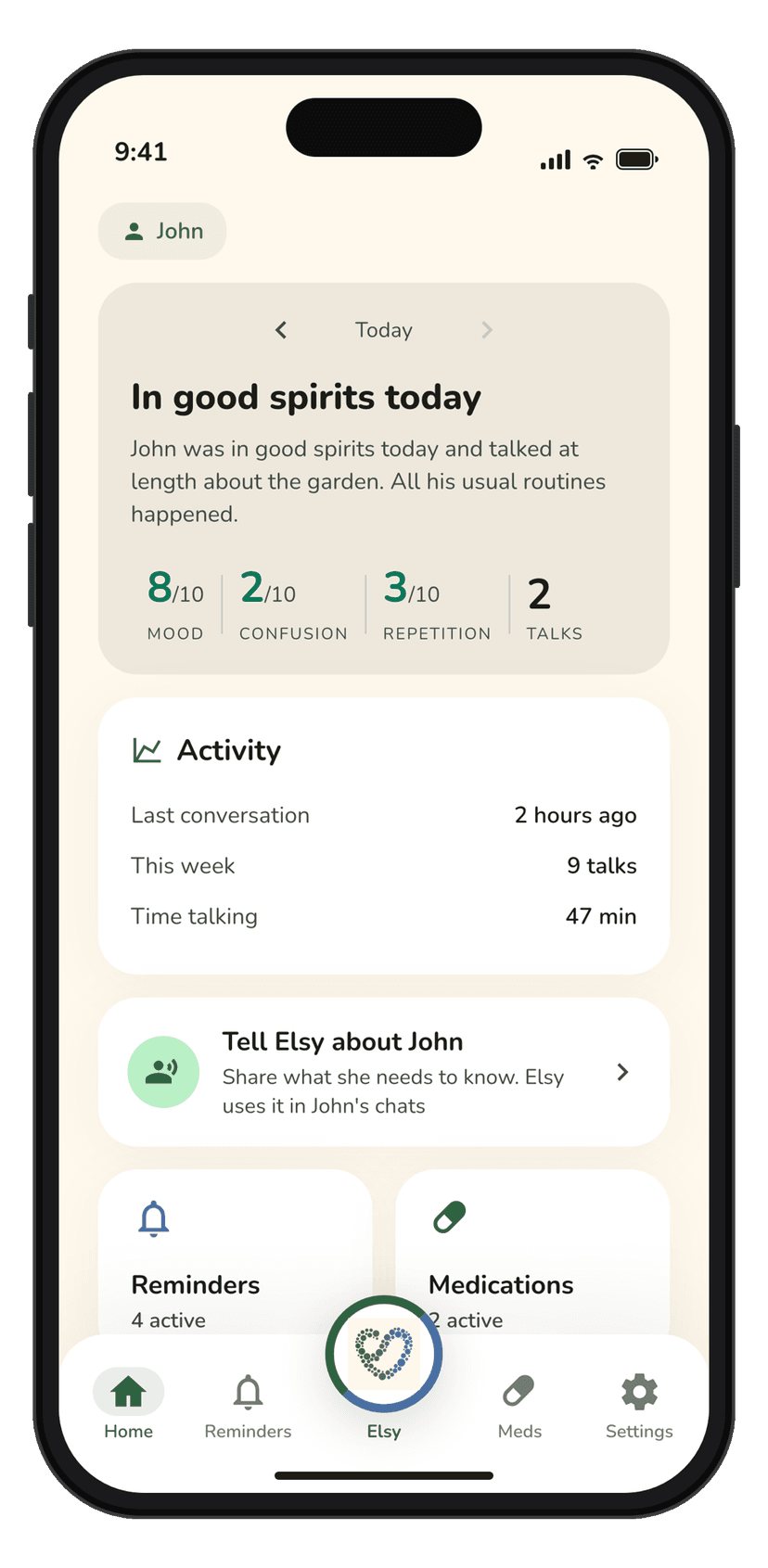
John was in good spirits today and talked at length about the garden. All his usual routines happened.
Mood seemed a little lower after lunch today. Might be worth a call.
John mentioned he's looking forward to Sunday. Both reminders confirmed done.
If your parent already talks to Elsy
Ask them to invite you. You'll get an email, create your account, and activate the family dashboard from there. They choose what you see, and can change it anytime.
Who pays for what
One subscription covers their Elsy and your dashboard. Or split it, if your parent would rather pay for their own.
Their Elsy on their phone, your dashboard on yours, in one subscription. This is the plan the app offers when you set up for a parent. Any number of family members can join your dashboard.
Their Elsy, paid by them. Your dashboard, paid by you. The way to go if your parent already has Elsy, or wants their own subscription.
Subscribing saves your payment details and renews after any free period until you cancel. The exact terms are shown before you pay. See pricing
Questions families ask
Start on your phone. Hand it over on theirs.
Setup takes a few minutes, and the last step is theirs.
Available on iOS and Android.